folderCamera

Pick the album
before you shoot

It works like the camera you already use. Pick an album with the button at the top, and the photos and videos you take go straight into that album in the Photos app.

Free for up to 3 albums · Unlimited photos · iOS 17 or later · Pro is a one-time purchase, no subscription

Guide:How to sort iPhone photos into albums

Pick the album with the button at the top

Skip it, and photos go to your library only

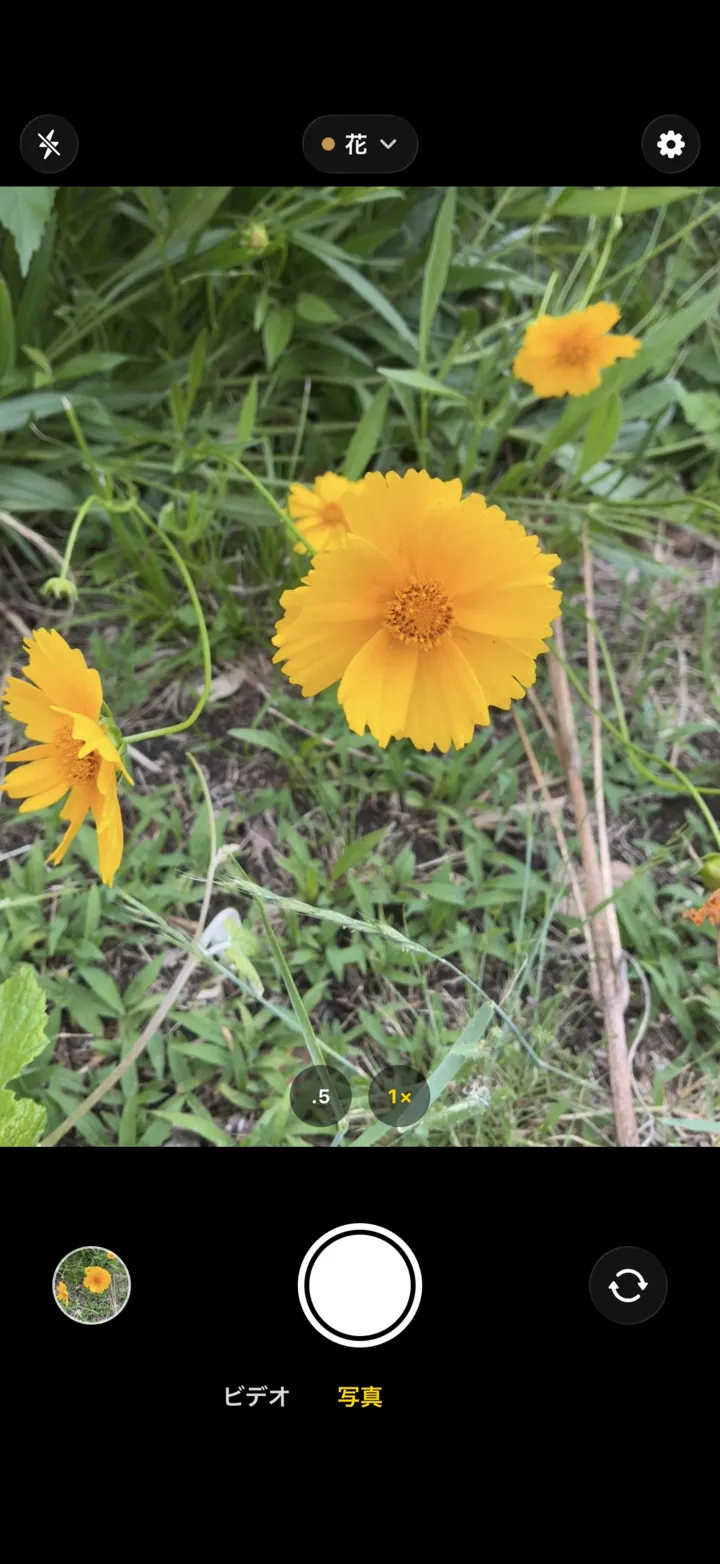
The folderCamera capture screen (Japanese interface). The button at the top center shows the chosen album, “花” (Flowers). Below are the .5 and 1× zoom buttons, the thumbnail, the shutter, the camera switch and the Video/Photo switch.

The shutter, zoom and Video/Photo switch
work the way you expect

How it works

Pick an album, then shoot as usual.

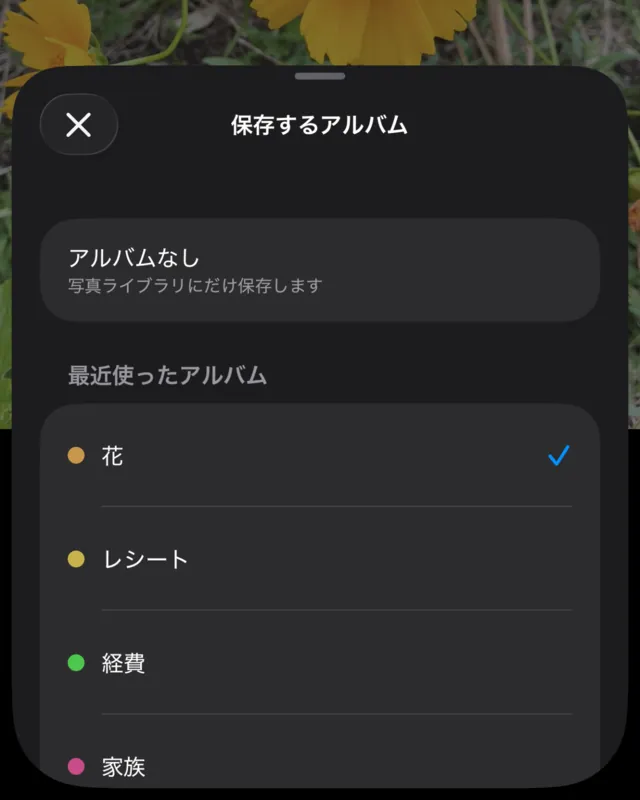
  1. The Save to Album list (Japanese interface): No Album, then recent albums, with the first one selected.

    01

    Pick an album

    Tap the button at the top to open your albums. Choose a recent album or one from the Photos app, or create a new one. Your choice stays selected the next time you open the app.

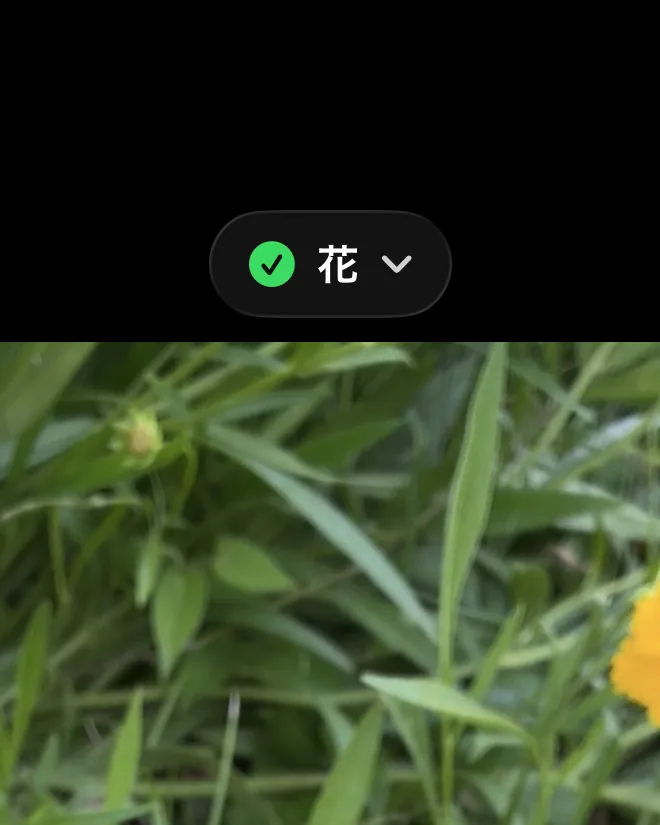
  2. The top of the camera screen right after a shot. The button shows a check mark next to the album name.

    02

    Shoot as usual

    The shutter fires the moment you press it. When a shot is saved to an album, the button at the top shows “✓ album name” for 3 seconds. Tap it then to move what you just took to another album.

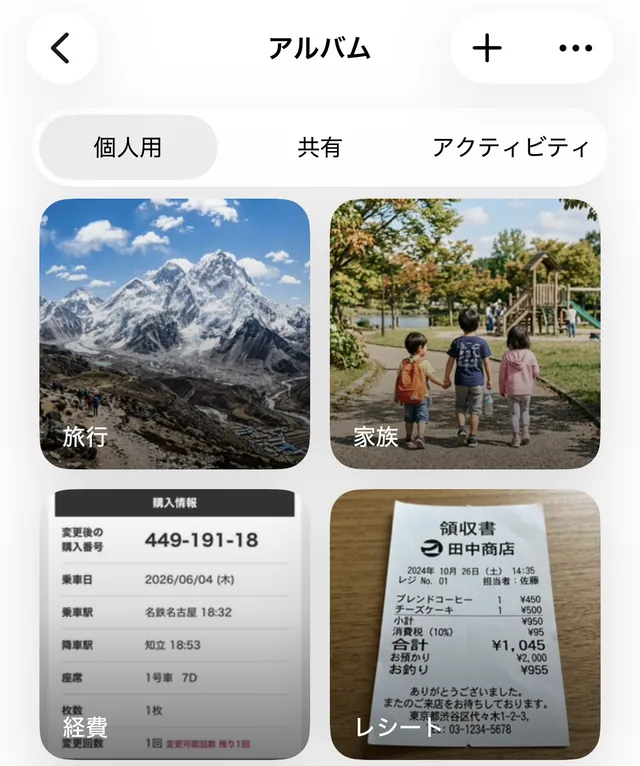
  3. The album list in the Photos app, with photos already split into albums such as travel, family, expenses and receipts.

    03

    Find it in Photos

    Your photos and videos are in the album you chose in the Photos app. They also appear in your library, so you can browse them as usual.

The camera controls you know

The shutter and zoom work the way they do in most camera apps, so you can shoot the way you always do from day one.

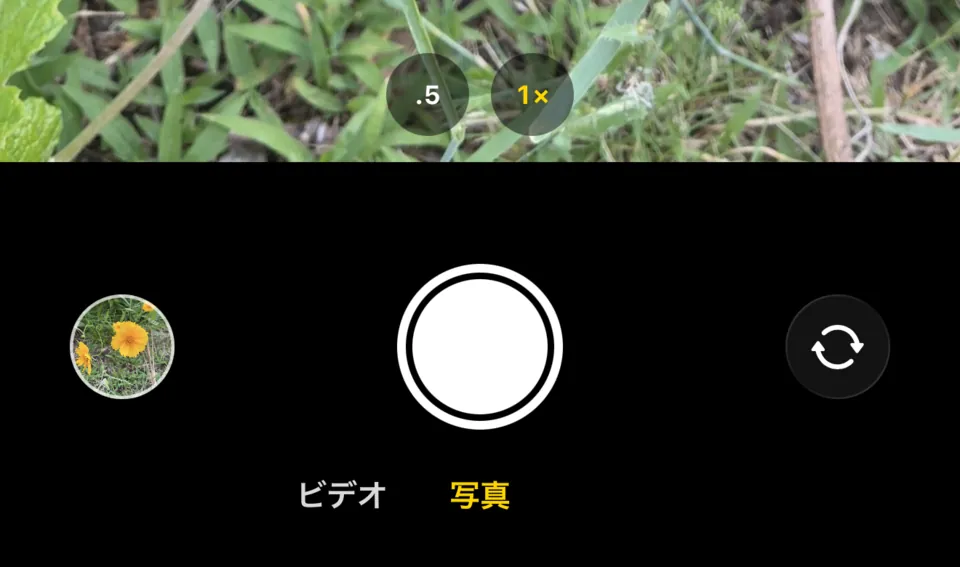
The bottom of the camera screen: the .5 and 1× zoom buttons, a round thumbnail, the shutter and the camera switch, with Video and Photo below.
  • Shutter

    Fires on press

    Takes a photo the moment you press, without waiting for you to lift your finger.

  • Burst

    Slide left

    Slide the shutter to the left to shoot until you let go. The photos go into the album you picked.

  • Volume buttons

    Shoot with volume

    Press a volume button to take a photo without touching the screen (iOS 17.2 or later).

  • Zoom

    .5 1×

    While zoomed, the button shows the current zoom level; tap it to go back to 1×. .5 is available on models with an ultra wide camera.

  • Video and Photo

    VideoPhoto

    Switch below the shutter, or swipe right from Photo to Video.

  • Focus and exposure

    Tap and hold

    Tap to focus; it returns to auto when the scene changes. Touch and hold to lock focus and exposure.

  • Orientation

    Sideways stays sideways

    Photos and videos taken sideways are saved the way you held the phone.

  • Reviewing shots

    From the thumbnail

    Open recent photos and videos from the thumbnail at the bottom left to share or delete them. For shots taken in this app, you can change the album there too.

The top of the camera screen on first launch (Japanese interface). The button reads “No Album,” with a tip below: choose an album before you shoot.

Without an album, it's a regular camera

folderCamera starts with No Album selected and saves photos and videos to your library. Pick an album with the button at the top only when you want one. With Limited photo access, you can still save with No Album.

Key features

Open the camera with an album already picked

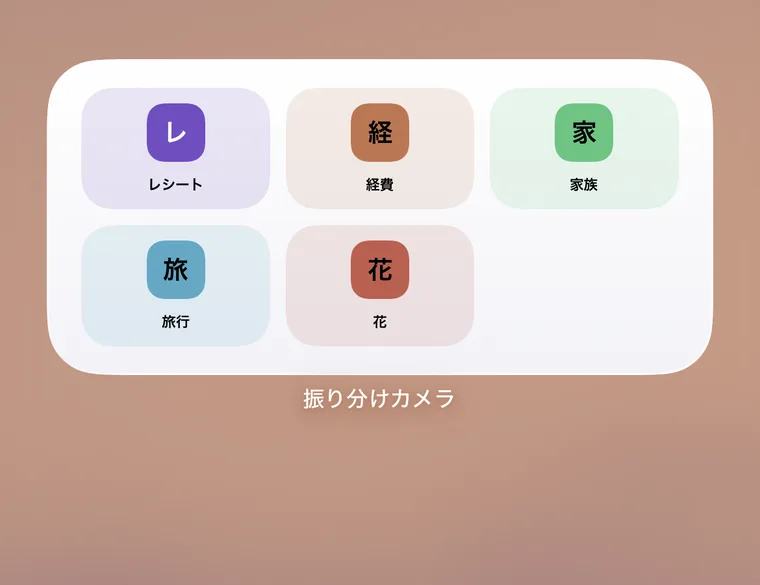
Put your favorite albums on a medium or large Home Screen widget. Tap one to open the camera with that album selected.

The folderCamera widget on the Home Screen, with tiles for five albums.

Use your existing Photos albums

Use “Choose from Photos Albums” in the list to put new shots into an album you already have. If you create an album with a name that already exists in Photos, you choose whether to use the existing album or create a new one.

Videos go into the same album

Switch to Video and record. Videos are saved to the album you picked, just like photos.

Open it from Controls or the Action button

On iOS 18 and later, you can place a button in Control Center, on the Lock Screen or on the Action button (on supported models). It opens the camera with the album you chose when adding it. When your iPhone is locked, it opens after you unlock.

Start from a suggestion

When you have no albums yet, create one from Receipts, Kids, Resale or Work. You can rename it as you create it.

Your photos and privacy

  • Saved in the Photos appThe app keeps no library of its own. If a shot can't be saved to Photos, the app keeps it until it can be saved. Deleting the app leaves your photos and albums in Photos.
  • No trackingThere are no ad or analytics SDKs in the app, and your photos are never sent to the developer's servers.
  • Location off by defaultThe shooting location is recorded only if you turn it on in Settings.
  • Photos accessNo Album works with Limited access. Sorting into albums requires Full Access.

How it differs from the built-in camera

Photos from the iPhone's built-in camera go into your library, and you add them to albums later in the Photos app.

Item Built-in camera folderCamera
Where shots go Your photo library The album you chose (also shown in your library)
Sorting into albums Add them later in the Photos app Pick with the button at the top before you shoot
Moving the last shot Add it to another album in Photos Within 3 seconds, move it with the button at the top

For the manual method and the limits of automation, see how to sort iPhone photos into albums automatically.

Ways to use it

The more often you shoot the same kind of thing, the more it helps to pick the album first.

  • Receipts

    Pick “Receipts” or “Work receipts” before you shoot, and you won't be hunting for them at month-end or tax time.

  • Kids

    Pick an album per child or per event, and every shot adds to that album.

  • Resale

    Keep an album per item, so the full view, tag and wear photos are together when you list it.

  • Work

    Pick an album per job, and site photos stay separate from your personal ones.

How to sort iPhone photos into albums

Pricing

Up to 3 albums are free. There's no subscription.

Free

Up to 3 albums

  • Unlimited photos and videos
  • Save photos and videos to albums
  • Shoot with No Album
  • Widgets

Pro (one-time purchase)

Unlimited albums

  • Pay once
  • No subscription
  • Use “Restore purchase” when you switch iPhones

See the App Store page for the price of Pro.

Frequently asked questions

What is folderCamera?

folderCamera is an iPhone camera app that works like the camera you already use, with one addition: you can pick the album before you shoot. The photos and videos you take go into that album in the Photos app, so there is nothing to sort later. If you don't pick an album, they are saved to your photo library like a regular camera.

Where do I choose the album?

Tap the button at the top center of the camera screen to open your albums. You can choose No Album, a recent album or an album from the Photos app, or create a new one. Your choice stays selected the next time you open the app.

What happens if I don't choose an album?

Photos are saved to your photo library, just like a regular camera. A new install starts with No Album selected, so you only pick an album when you want one.

What if I save to the wrong album?

For 3 seconds (6 seconds with VoiceOver) after a shot is saved to an album, the button at the top shows “✓ album name.” Tap it and choose another album to move what you just took. After that, you can still change the album of recent photos and videos taken in this app from the viewer that opens when you tap the thumbnail at the bottom left.

Does it work like a regular camera?

It uses the controls common to camera apps. The shutter fires the moment you press it, and sliding the shutter to the left shoots a burst. You can also shoot with the volume buttons (iOS 17.2 or later), and switch between Video and Photo below the shutter. Holding the shutter to record video and 2× or telephoto zoom buttons are not supported.

How much can I do for free?

Up to 3 albums are free, with no limit on how many photos and videos you take. A one-time Pro purchase unlocks unlimited albums. There is no subscription.

Where are my photos saved?

In your iPhone's Photos app (your photo library), and they are also added to the album you chose. folderCamera keeps no library of its own. If iCloud Photos is on, they can appear on your other devices, depending on your Apple settings and sync status.

If I delete the app, do my photos disappear?

Photos, videos and albums saved in the Photos app stay after you delete folderCamera. However, photos or videos that could not be saved to Photos and are being held in the app temporarily are lost when you delete the app.

Can I use it with Limited photo access?

Yes. With No Album selected, photos are saved to your library even with Limited access. Sorting into albums requires Full Access to Photos, and the app explains this when you choose an album.

Can videos be sorted too?

Yes. Switch to Video and record, and the video is saved to the album you chose, just like photos.

Can it organize my existing photos?

folderCamera sorts the photos and videos you take from now on. For photos you already have, select them in the Photos app and add them to an album.

Is location included in my photos?

It is off by default. Only when you turn it on in Settings is the shooting location recorded in your photos and videos.

Can the iPhone's built-in camera sort photos into albums automatically?

No. Photos from the built-in camera are saved to your photo library, and adding them to an album is done afterward in the Photos app. With folderCamera you pick the album before you shoot, so there is no adding afterward.

How can I save photos into a specific album from the start?

In folderCamera, choose the album with the button at the top of the camera screen, then shoot. Your photos and videos go straight into that album in the Photos app, with nothing to move later.
Free to start

Up to 3 albums are free. Try it with your next photo.

Download on the App Store

iOS 17 or later. Shooting needs Camera access, saving needs Photos access (Limited is fine), and sorting into albums needs Full Access to Photos. Video sound is recorded with the microphone.